Technical SEO for ecommerce can make or break your ecommerce business’s bottom line with every page load. A single second delay in page load time leads to a 7% drop in conversions. Global e-commerce sales will reach US$6.56–6.86 trillion by 2025. This is a big deal as it means that even minor technical problems can cost you dearly.
Unprepared e-commerce sites often face dramatic conversion declines during Google’s core updates. Sites with poor core web vitals see a 32% increase in bounce rates once load times go beyond 3 seconds. The June 2025 update puts the spotlight on relevant, helpful content. The update also rewards sites that showcase Experience, Expertise, Authoritativeness, and Trustworthiness.
So, here we reveals proven strategies to build a strong technical SEO for ecommerce foundation. These strategies will protect and boost your conversion rates through major algorithm changes.
Why Conversion Rates Drop After Google Core Updates
Google’s core updates often cause e-commerce websites to experience sudden drops in visibility that directly affect conversion rates. These updates bring broad changes to search algorithms that affect website rankings, whatever the industry or content type. Your bottom line needs protection through understanding these changes.
Google Latest Update in Technical SEO for Ecommerce: June 2025 Overview
The June 2025 Core Update started on June 30, 2025, and took almost 17 days to complete on July 17, 2025. Google called it “a regular update designed to better surface relevant, satisfying content for searchers from all types of sites”. This update was Google’s second major algorithm change of the year, after the March 2025 Core Update.
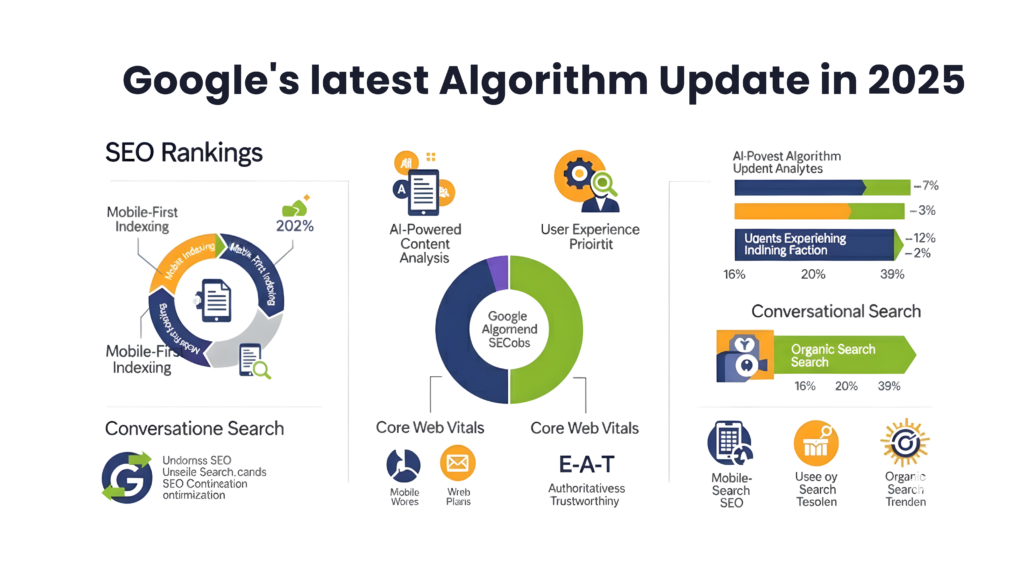
Many websites saw big changes in rankings during the rollout. The update showed intense fluctuations between July 11th and July 14th. This update stands out because it helped some sites recover that were hit by the September 2023 Helpful Content Update.
The June 2025 update rewarded websites that show:
- Experience, expertise, authoritativeness, and trustworthiness (E-E-A-T principles)
- Content with clear human involvement instead of mass-produced AI text
- Mobile responsiveness and fast loading speeds
- Clean navigation and clutter-free layouts
- Transparent authorship and accurate publication dates
The update gave priority to pages that show ground experience and author credibility. Google continues to value content that gives real value over generic, low-quality material.
How Technical SEO Gaps Lead to Ranking and Revenue Loss
Core updates make technical SEO problems more damaging because they magnify existing weaknesses in your e-commerce site structure. Small issues might not matter much before an update, but these same problems can cause big ranking drops afterward.
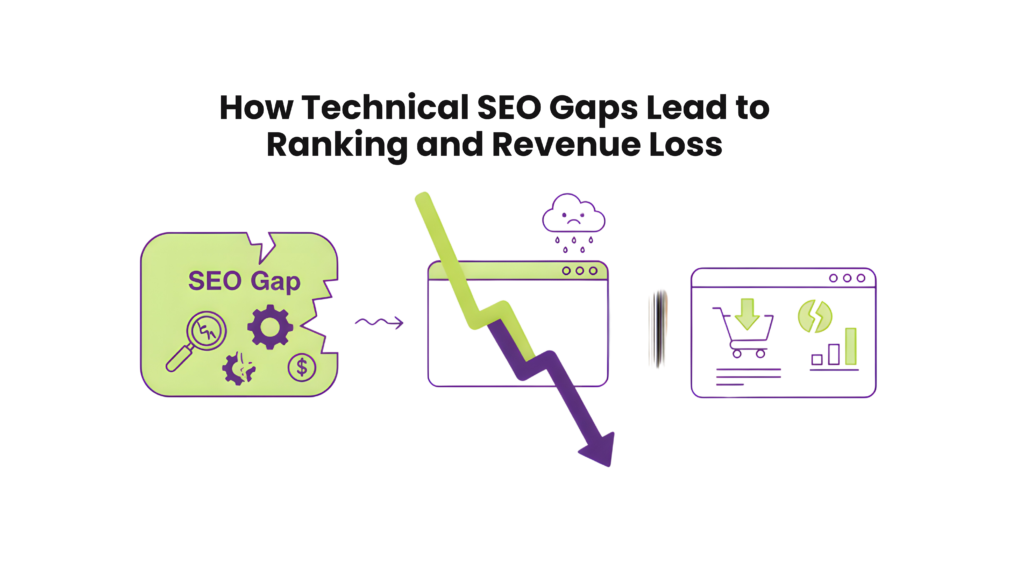
Technical performance metrics become more vital ranking signals during core updates. Sites with poor mobile experiences, slow loading speeds, or intrusive ads tend to lose visibility after updates. Fewer visitors see your site, which leads to fewer conversions and lower revenue.
Pages that don’t meet Google’s Core Web Vitals thresholds see the biggest ranking drops during updates. E-commerce sites with JavaScript rendering issues might see their product pages vanish from search results. Old security protocols can show warnings that scare potential customers away before they start shopping.
Technical SEO gaps that often lead to lost conversions include:
- Slow page loading (especially on mobile devices)
- Poor mobile responsiveness affecting checkout flows
- JavaScript rendering issues hiding product information
- Mixed content security warnings creating trust issues
- Improper URL structures creating duplicate content
- Inadequate schema markup reducing rich results
These issues affect more than just visibility. Data from reliable sources shows that technical SEO issues change how users interact with your site. To cite an instance, users leave their shopping carts when e-commerce pages have layout shifts or slow interactivity.
A focus on technical optimization makes your e-commerce site stronger against algorithm changes. Well-optimized sites often keep or improve their positions while competitors with weaker technical foundations fall behind during core updates.
Technical SEO Fixes That Protect Conversion Rates
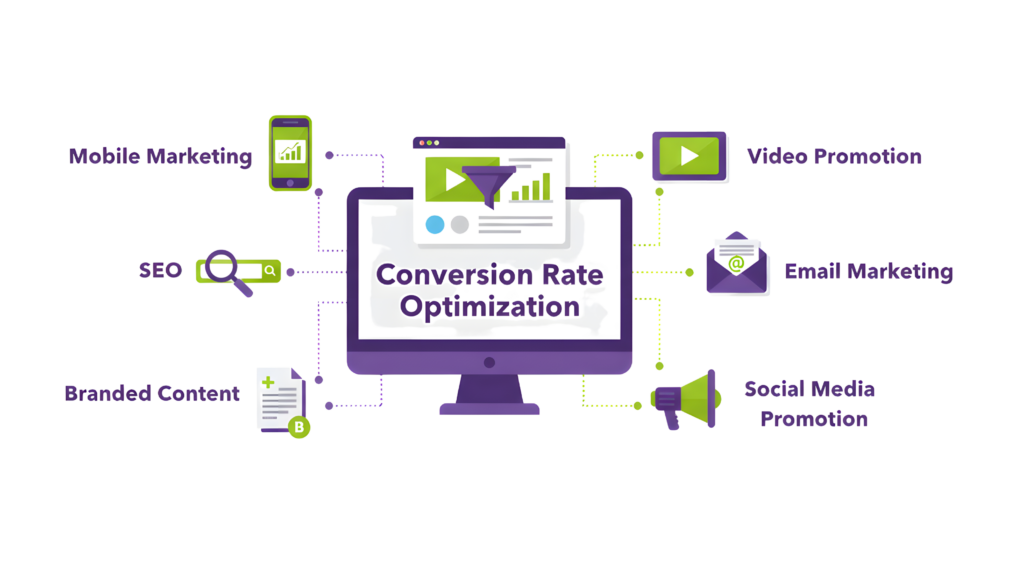
Your ecommerce conversions need protection from Google’s core updates through essential technical SEO elements. These fixes protect your rankings and shape how users interact with your site.
Improving Mobile Responsiveness and UX
Mobile devices generate over 60% of traffic, which means your website’s mobile performance directly shapes your conversion rates. Mobile responsiveness goes beyond basic compatibility – it creates a continuous connection that matches or surpasses desktop browsing.
Mobile users want pages to load in 2-3 seconds. A tiny 0.1-second speed boost can lift conversions by 8%. A truly responsive ecommerce site needs:
- Touch-friendly navigation with properly sized buttons
- Text you can read without zooming
- Well-spaced interactive elements to prevent mis-clicks
- Simple menus that work well on smaller screens
Mobile optimization in 2025 needs more than just layout changes. The focus should be on simplified checkout processes, form fields that adjust for thumb typing, and smart placement of call-to-action buttons. Sites that don’t offer this user-friendly design lose visitors within seconds.
Google’s mobile-first indexing means poor mobile performance leads to lower rankings, less organic traffic, and fewer conversions for ecommerce sites.
Fixing JavaScript Rendering Issues on Product Pages
JavaScript rendering problems can seriously hurt your ecommerce conversions. Failed JavaScript rendering can break crucial elements like pricing, availability, and add-to-cart functions, making them unusable or invisible.
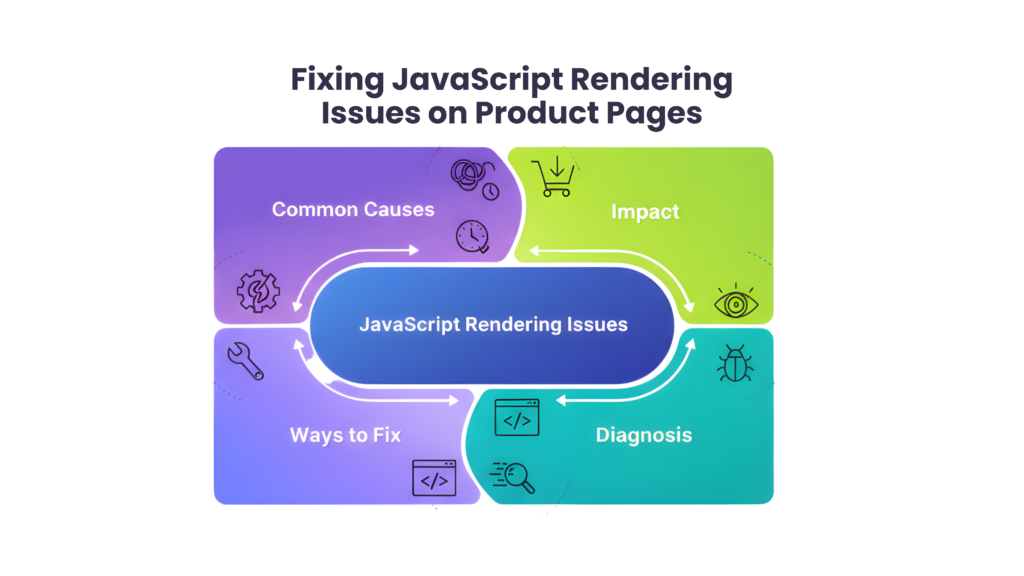
Blocked resources in the robots.txt file often cause JavaScript rendering issues. This stops Google from properly handling JavaScript files that run product page features. Single-page applications sometimes show soft 404 errors, where error pages send 200 status codes instead of proper error signals.
Your product pages need checks for:
- JavaScript resources blocked in robots.txt
- Broken JavaScript links to missing files or inactive plugins
- JavaScript needing user permissions (which Googlebot won’t give)
- URL fragments loading different content
The Rich Results Test or URL Inspection Tool in Search Console helps you see how Google crawls and renders your product pages. These tools show loaded resources, JavaScript console output, exceptions, and rendering problems that could affect search visibility and user experience.
Securing Site with HTTPS and Fixing Mixed Content
HTTPS is not optional for ecommerce—it’s mandatory. Many sites still face “mixed content” issues where secure HTTPS pages load elements through insecure HTTP. This creates security gaps and triggers warnings that reduce user trust.
Mixed content comes in two types:
- Upgradable content: Images, videos, and audio that browsers can automatically upgrade
- Blockable content: Scripts and other resources that browsers completely block
These security warnings make users nervous. They often leave before completing their purchase when they see these alerts.
Here’s how to fix mixed content:
- Look for “http://” in your source code and update to “https://”
- Use Content Security Policy headers to catch and stop mixed content
- Set up automatic HTTPS upgrades with upgrade-insecure-requests directive
- Change internal links from HTTP to HTTPS
Chrome DevTools helps verify your changes by finding any remaining insecure resources. Security directly affects your conversions because browsers now block mixed content completely, which can break your product pages.
These three technical SEO improvements make your ecommerce site stronger against Google’s core updates while keeping conversion rates high through better user experience.
Optimizing Core Web Vitals for E-commerce Pages
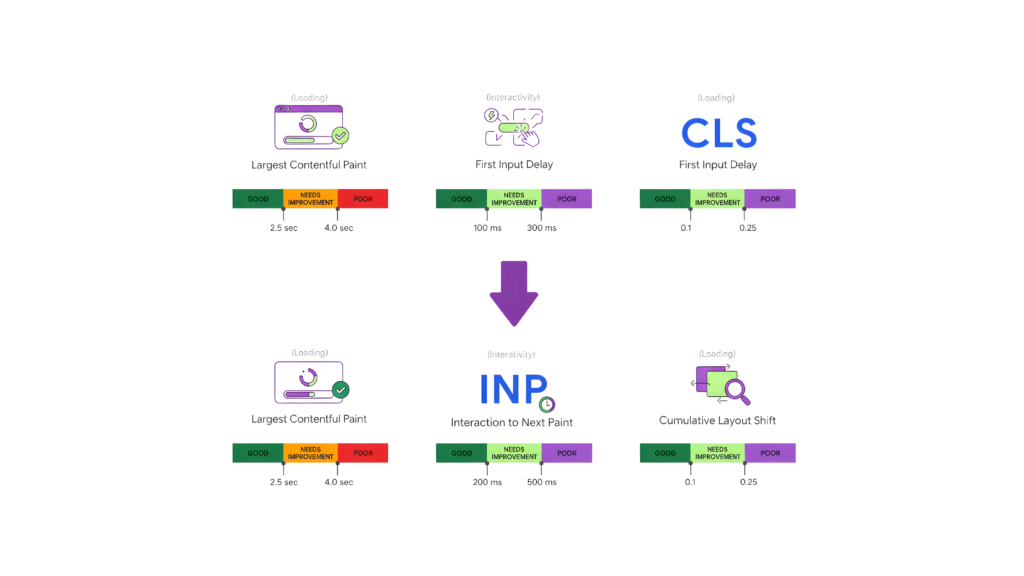
Core Web Vitals metrics are now key players in your e-commerce website’s search rankings and user experience. These performance indicators show how users interact with your site, which affects your visibility and conversion rates.
LCP Optimization for Hero Images and Product Galleries
Largest Contentful Paint (LCP) shows how fast your webpage’s largest content element loads. E-commerce sites usually have hero images and product galleries as their biggest elements. Google wants your LCP to stay under 2.5 seconds for a good user experience.
Product images are usually the biggest visual elements on e-commerce pages. Slow-loading images push back your LCP time, which hurts your Core Web Vitals scores and conversions. Making your store’s LCP better means users are 8.3% less likely to check out your competitors.
Here’s how to make your product image LCP better:
- Add width and height attributes to all images so browsers can save space before loading
- Switch to WebP instead of bigger JPG or PNG files
- Use responsive images with srcset and sizes attributes to match image sizes to devices
- Think about using a Content Delivery Network (CDN) to store site content closer to users
Your hero sections need faster server response times. A slow server can delay your LCP because it measures how long it takes for the largest content to show up. Better hosting or good caching can make things work much faster.
INP Optimization by Deferring Non-Essential Scripts
Interaction to Next Paint (INP) is a new Core Web Vital that measures how fast your page responds to users throughout their visit. You should aim for an INP under 200 milliseconds to keep users happy.
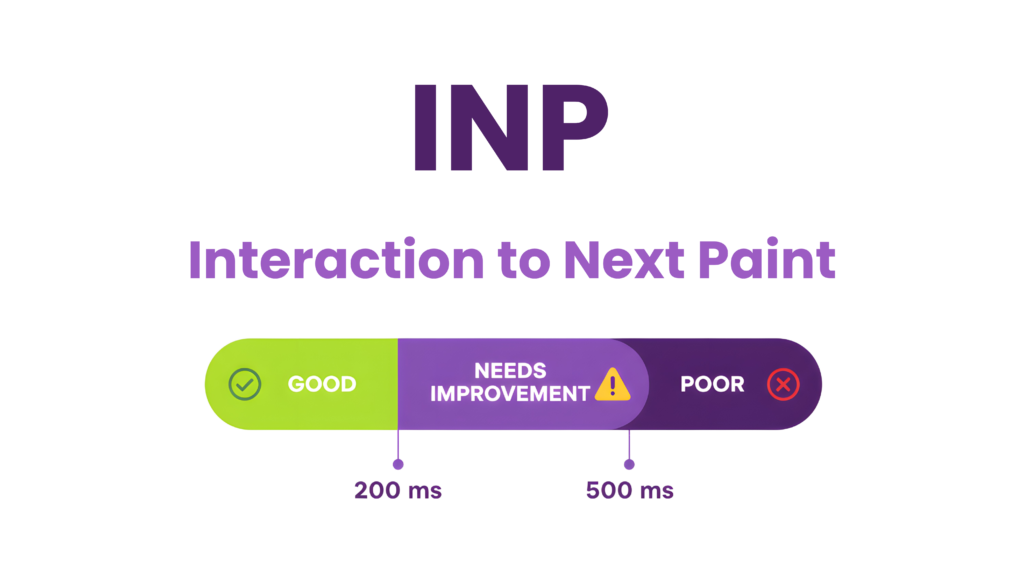
INP really matters for e-commerce sites where users click around a lot—changing product options, adding items to cart, or using filters. Bad INP frustrates users and hurts sales. Making your site respond just 1 millisecond faster can lead to a 5.2% boost in customer activity.
Here’s how to make INP better:
Look at field data from a Real User Monitoring (RUM) provider or PageSpeed Insights to find slow interactions. Then, split up big JavaScript tasks by letting the main thread breathe. This helps keep things smooth when users do important things like adding products to cart.
Stay away from layout thrashing—where JavaScript keeps switching between reading and writing to the DOM, which makes browsers work harder. The CSS content-visibility property can help too. It loads off-screen elements only when needed, which makes interactions smoother.
CLS Fixes for Dynamic Content and Ad Placements
Cumulative Layout Shift (CLS) shows how stable your page is—how much stuff moves around while loading. Your CLS score should stay below 0.1. Bad CLS on e-commerce sites leads to mistakes like clicking wrong products or losing your spot while reading descriptions.
Content often jumps around because of things that load later, like product suggestions, size charts, or ads. This drives shoppers away before they buy anything.
Here’s how to fix CLS on e-commerce pages:
Save space for content that loads later, especially ads or widgets. Use size attributes for images and videos, or CSS aspect ratio boxes. This keeps content from jumping around while loading.
Save space for third-party elements like promo banners or cookie notices. Put non-critical ads below where users first see the page to keep things stable.
These Core Web Vitals improvements make your e-commerce site stronger against Google’s ranking changes and give users a better shopping experience that leads to more sales.
Site Architecture and Navigation Enhancements
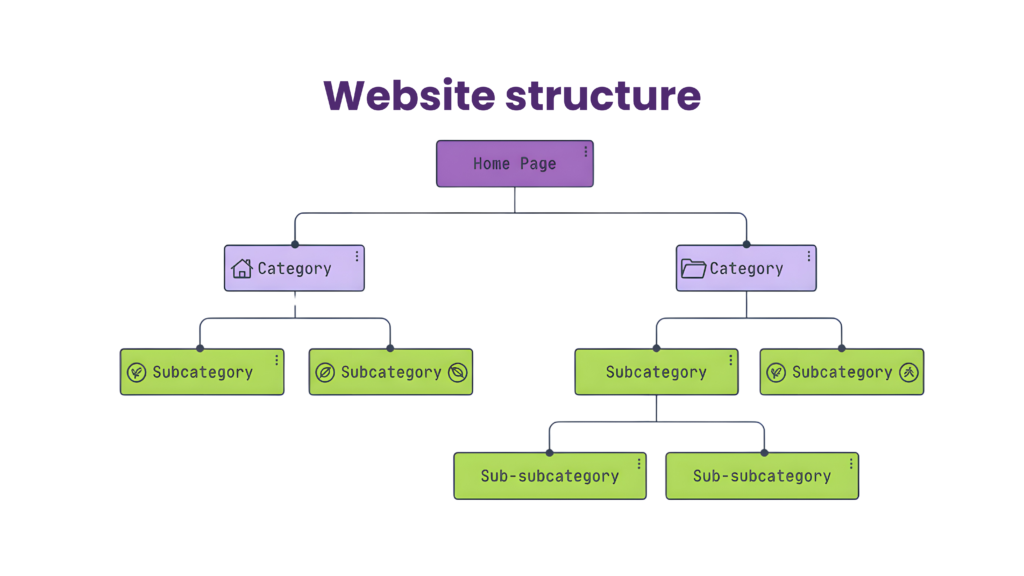
Your e-commerce site’s structure lays the groundwork for search engines to crawl and index products. Poor site structure can cause big drops in visibility during Google core updates and hurt your conversion rates.
URL Structure Best Practices for Category Pages
The right URL structure will help both search engines and users. E-commerce sites need a smart URL setup that makes all pages available within three clicks or fewer. This creates a smooth path for customers and search crawlers.
Traditional hierarchical URLs (domain.com/shop/category/subcategory/product) don’t work well as your catalog gets bigger. Pages buried deep in the site lose authority and make it hard for users to find what they need. Here are some URL best practices:
- Use keyword-rich subfolders instead of generic IDs (use “yoursite.com/mens-clothing/casual-shirts” rather than “yoursite.com/category42/product553”)
- Keep URLs short and clear with hyphens between words
- Put products in separate folders from categories for more flexibility
- Stay away from dynamic parameters that create duplicate content
- Add descriptive words in URL paths to help Google understand the page better
Your site needs consistent URL versions. Different URL variants in menus, widgets, and text links waste resources and make search engines confused. A clear logical hierarchy helps search engines see how your pages connect to each other.
Internal Linking to Distribute Link Equity
Smart internal linking affects how authority flows through your e-commerce site. Pages with more authority can lift newer pages that Google hasn’t fully indexed yet.
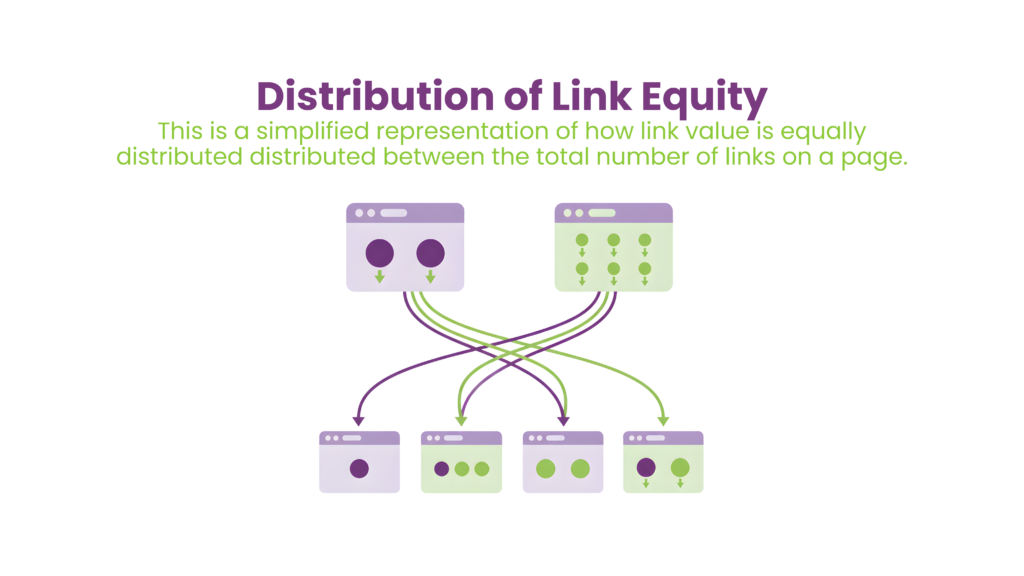
Internal linking does several important things for e-commerce sites. Users can find their way through many pages easily. SEO improves as important content stands out. Search engines find pages better, and you can highlight deals and new items.
The best way to share link equity is to find your most important pages (high-converting landing pages, lifeblood content) and make them main targets for internal linking. Use clear anchor text in your links – skip generic phrases like “click here” or “read more”. This shows Google how your pages connect.
HTML breadcrumbs at the top of category and product pages work great for internal linking. Users know where they are, crawling gets better, the experience improves, and relevancy increases with the breadcrumb schema.
Pagination vs Infinite Scroll: SEO Considerations
The choice between pagination and infinite scroll changes how search engines index your product catalog. Infinite scroll makes users happy, but pagination usually works better for SEO.
Pagination creates static URLs with clear endpoints that help search engines crawl, index, and rank individual pages. With the right meta tags like rel=next and rel=prev, pagination gives a better structure for indexing lots of content.
Infinite scroll brings big challenges for technical SEO for ecommerce. Google’s bot doesn’t deal very well with dynamically loaded content. Pages might not get indexed if content loads after the bot stops crawling, which hurts rankings. Google can’t index what it can’t see, and much of your content loses ranking potential.
If you want infinite scroll for a better user experience, try these technical fixes:
- Make unique URLs for each result set or scroll depth
- Add ‘Load more’ buttons that crawlers can use
- Use dynamic rendering (show simple, pre-rendered HTML to bots)
- Mix infinite scroll with pagination to create crawlable links
Pagination remains the safer choice for e-commerce SEO, though mixed approaches can balance user experience and search visibility. You can use SEO pagination while creating a smooth browsing experience through modern front-end methods.
Schema Markup to Improve Visibility and CTR
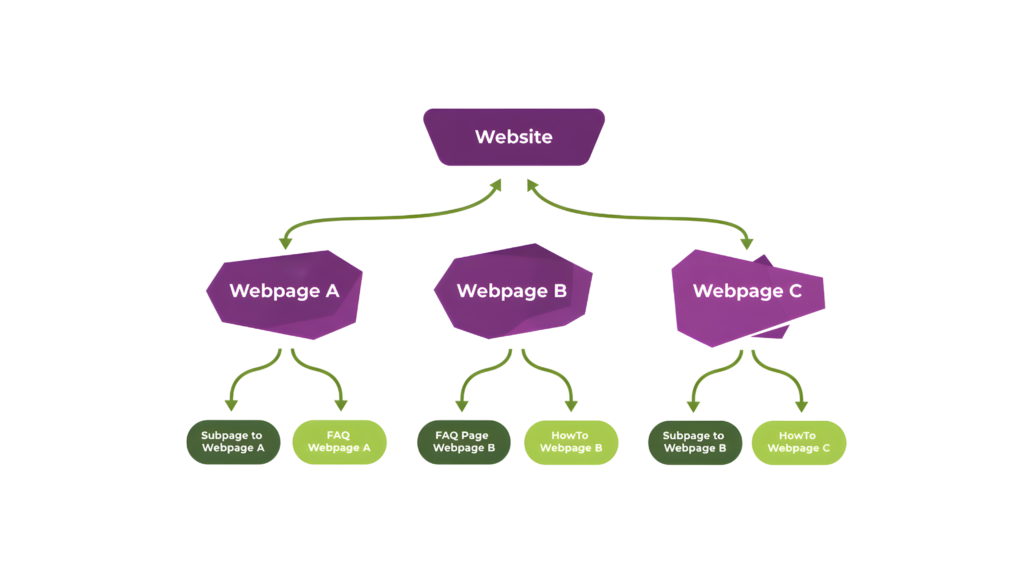
Schema markup helps improve your e-commerce website’s visibility in search results. Regular search listings don’t stand out much, but schema-rich results catch people’s eyes with visual elements that boost click-through rates (CTR) and bring more qualified traffic to your products.
Product and Offer Schema for Rich Results
Product schema markup turns standard search listings into eye-catching product cards. Your products can show prices, availability, images, and special offers right in the search results when you add this structured data. The original setup needs just the basics—name plus either review, combined rating, or offers—to qualify your products for rich results.
Product details get better with the Offer schema that shows:
- Price drops (Google calculates these by tracking price changes)
- Shipping costs (especially free shipping information)
- Availability status (lets customers see if products are in stock)
- Return policies
Review Schema for Star Ratings in SERPs
Review schema boosts click-through rates by a lot because it shows star ratings right in search results. Pages with review schema can see up to a 30% improvement in CTR. The review schema needs the reviewer’s name, item reviewed, and rating value to work properly.
Reviews must live on your own site—you can’t use third-party reviews. Combined ratings need details like ratingValue and reviewCount to sum up many customer opinions.
Local Business Schema for Physical Storefronts
Local Business schema is vital for e-commerce businesses with physical stores. This markup helps customers find your locations by showing:
- Store name and physical address
- Business hours and contact information
- Geographic coordinates for map listings
- Price range indicators
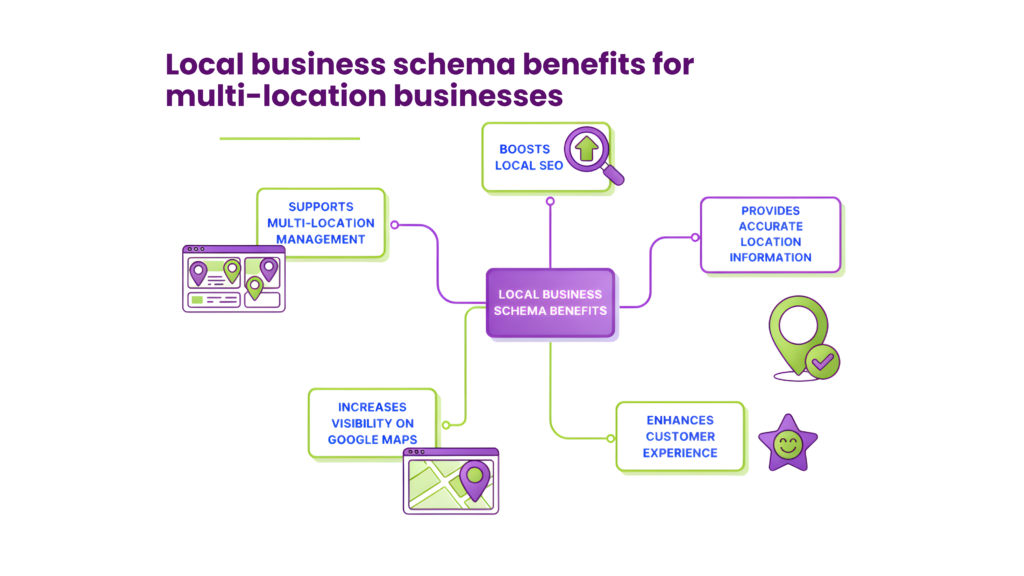
Businesses that set up the LocalBusiness schema correctly can appear in Google knowledge panels and local search carousels.
Why Choose Rankfast for Technical SEO Services
Your e-commerce site’s success during Google’s core updates largely depends on choosing the right partner for technical SEO for ecommerce. Rankfast helps online stores protect and boost their conversion rates through technical optimization that delivers measurable results.
Proven Expertise in E-commerce SEO Recovery
Rankfast consistently delivers remarkable results for e-commerce clients who face technical challenges. Their custom keyword research and technical SEO implementation have helped businesses see a 154% increase in organic traffic in just seven months. This becomes even more significant since 63% of all e-commerce traffic comes from organic Google searches.
The team takes a practical approach to find specific opportunities unique to your store. To cite an instance, they worked with an activewear retailer and found that there was inadequate content on product pages. Their targeted fixes led to a traffic boost of 261%.
Custom Technical Audits and Fix Implementation
The team runs complete technical audits twice a year. These audits help them find traffic-driving content, spot toxic backlinks, and identify areas that need improvement. They get into your:
- Homepage navigation and SEO elements
- Product page redirects, load times, and internal linking structure
- Category page search filter functionality and category page organization
Technical experts then implement fixes that line up your site with evolving search engine guidelines. This helps you stay visible through algorithm changes.
Ongoing Monitoring and Core Update Readiness
Rankfast provide the best technical SEO for ecommerce that stands apart from agencies that wait months for results. The team maintains constant watchfulness for technical issues that could affect your rankings. They blend immediate performance improvements with strategies for long-term visibility.
A team of certified developers who specialize in major e-commerce platforms like Shopify, Magento, WooCommerce, and BigCommerce provides technical support tailored to your platform’s specific challenges. This complete expertise will give your store a recovery-ready status even during major algorithm changes.
Conclusion
Technical SEO protects your ecommerce business from Google’s algorithm changes. This piece shows how proper technical optimization shields your conversion rates during core updates. Sites with strong technical foundations stay visible while their competitors don’t deal very well with updates.
Core Web Vitals optimization is the most crucial factor in ecommerce success. Quick LCP times, responsive INP metrics, and minimal CLS create uninterrupted shopping experiences. Your customers stay involved and complete their purchases. Your technical foundation becomes stronger when you fix JavaScript rendering issues, use secure HTTPS, and build logical site architecture.
Don’t wait for the next core update to hurt your conversions. Your ecommerce business needs protection against algorithm changes. Rankfast’s technical SEO experts can help you implement these critical optimizations and enhance your paid advertising strategies for complete search visibility. A combination of strong technical SEO and strategic PPC works best to grow your ecommerce conversions, whatever Google updates come next.
FAQs
Q1. How can I improve my e-commerce conversion rate?
To boost your e-commerce conversion rate, optimize your checkout process, add trust signals, display clear product reviews, ensure mobile-friendly design, improve product photography, and simplify checkout forms. These strategies can significantly enhance user experience and encourage more purchases.
Q2. What role does website speed play in technical SEO for e-commerce?
Website speed is crucial for technical SEO for ecommerce. Faster loading times improve user experience, reduce bounce rates, and are favored by search engines. Optimizing images, streamlining code, and using Content Delivery Networks (CDNs) can significantly enhance your site’s performance and SEO rankings.
Q3. How does implementing schema markup benefit e-commerce sites?
Schema markup enhances your e-commerce site’s visibility in search results by creating rich snippets. This can include product details, prices, availability, and reviews directly in search listings. Such enhanced visibility can significantly improve click-through rates and drive more qualified traffic to your product pages.
Q4. Why is mobile optimization important for e-commerce SEO?
Mobile optimization is critical for e-commerce SEO because a large portion of online shopping now occurs on mobile devices. Google’s mobile-first indexing means that the mobile version of your site is prioritized for ranking. A mobile-friendly site improves user experience, reduces bounce rates, and can lead to higher conversions.
Q5. How can Core Web Vitals impact e-commerce conversions?
Core Web Vitals directly affect user experience and, consequently, conversions. Optimizing Largest Contentful Paint (LCP), Interaction to Next Paint (INP), and Cumulative Layout Shift (CLS) ensures faster loading, better interactivity, and visual stability. This creates a smoother shopping experience, potentially increasing the likelihood of completed purchases and improving search rankings.
Leave a Reply